PROJECT DESCRIPTION (First Style):
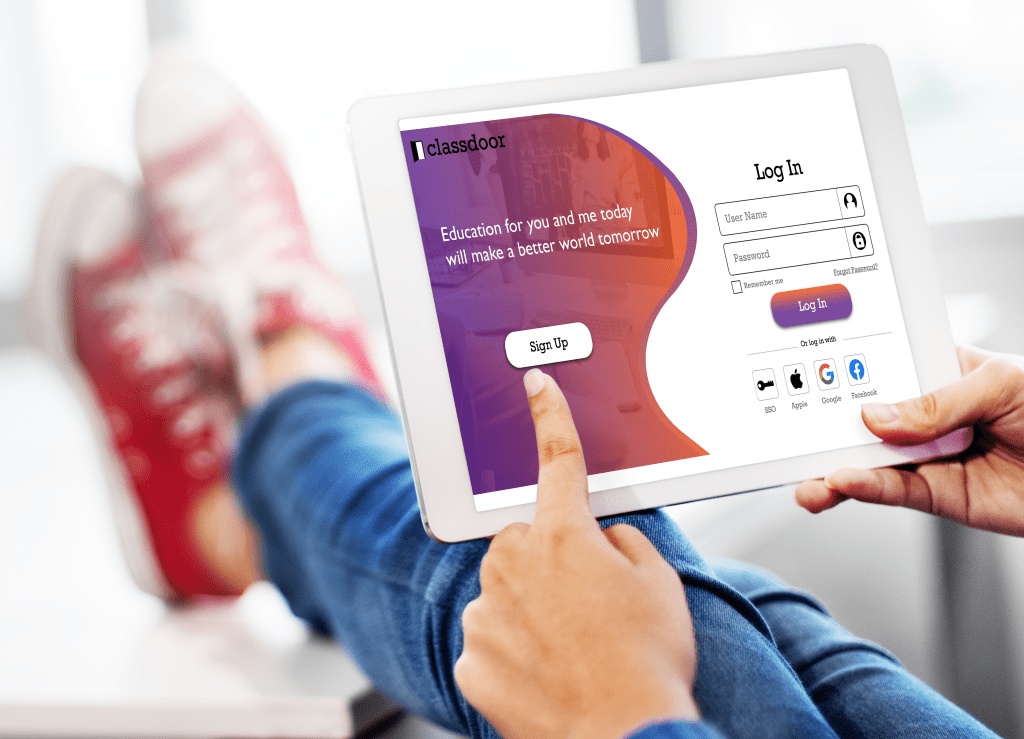
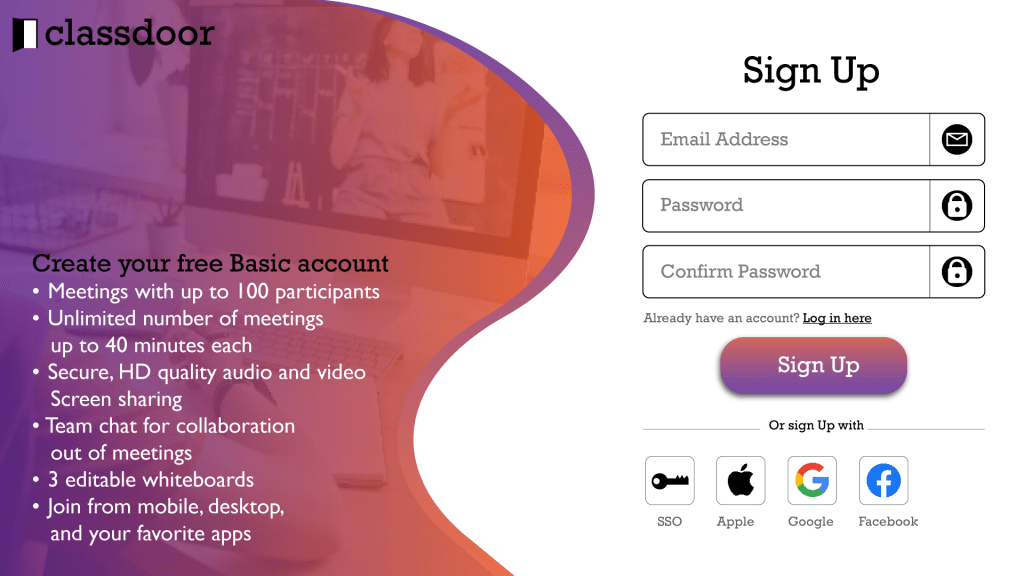
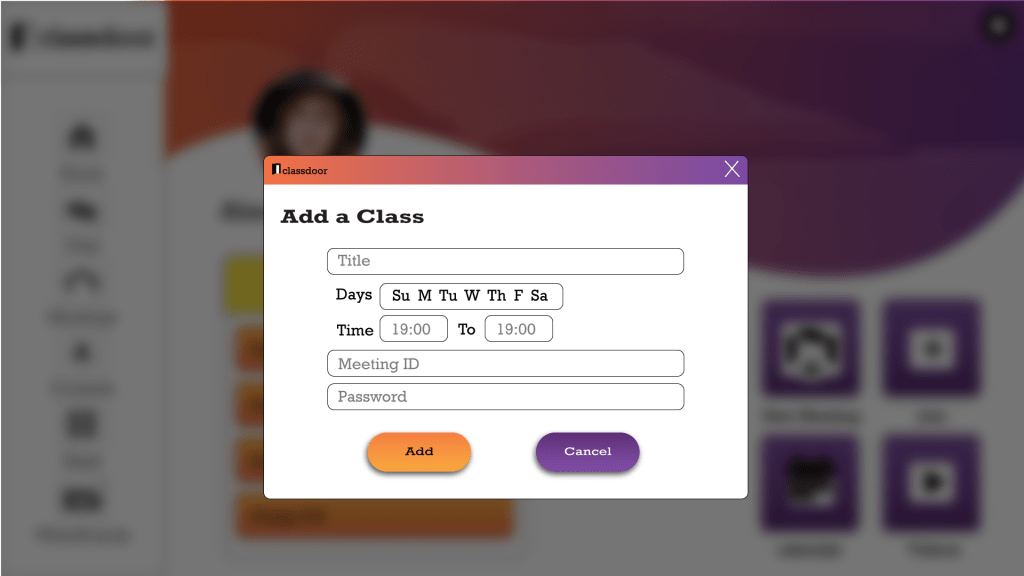
For this project, I made a new user interface for Zoom which made it a special app for online education, and I named it “Classdoor.” In my design, I tried to bring more educational feelings to the screen than Zoom does, so that students can have a better sense of connection between the app and their school. My other goal in my UI design was to remove some extra steps in making an account for users’ everyday use of the app. Therefore, the app will be more practical to use and it will consume less time to accomplish the users’ goals. My Last idea was to make the current features of Zoom easier to notice so everyone can benefit from all its tools.
Mock-Ups
Reasons based on UX principles:
- Attention:
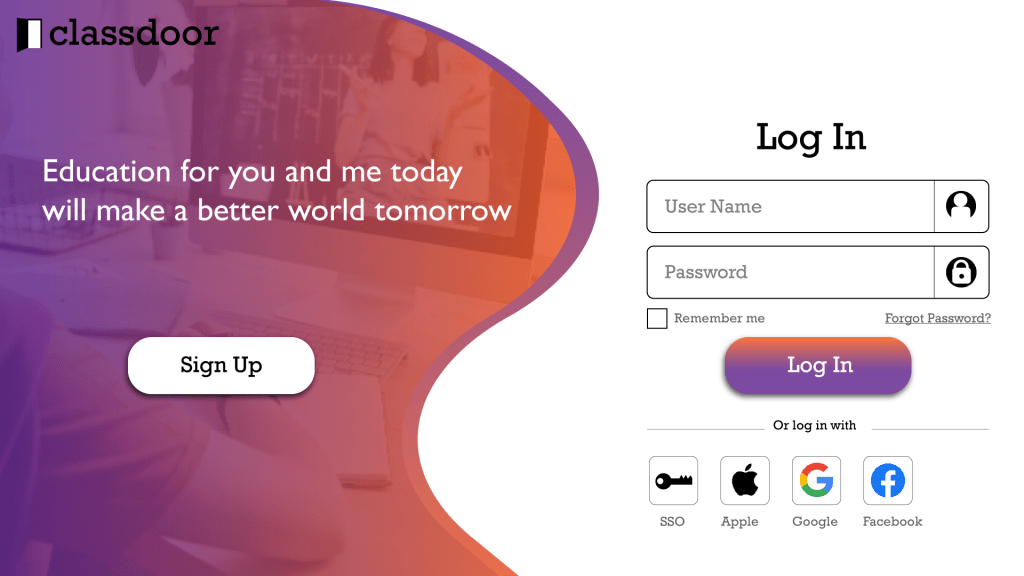
The login and sign-up page on the app allows users to do everything on the app, even if they leave their screen. Therefore, the user won’t get lost in their navigation from the app to the browser and from the browser to the app. - Peripheral Vision:
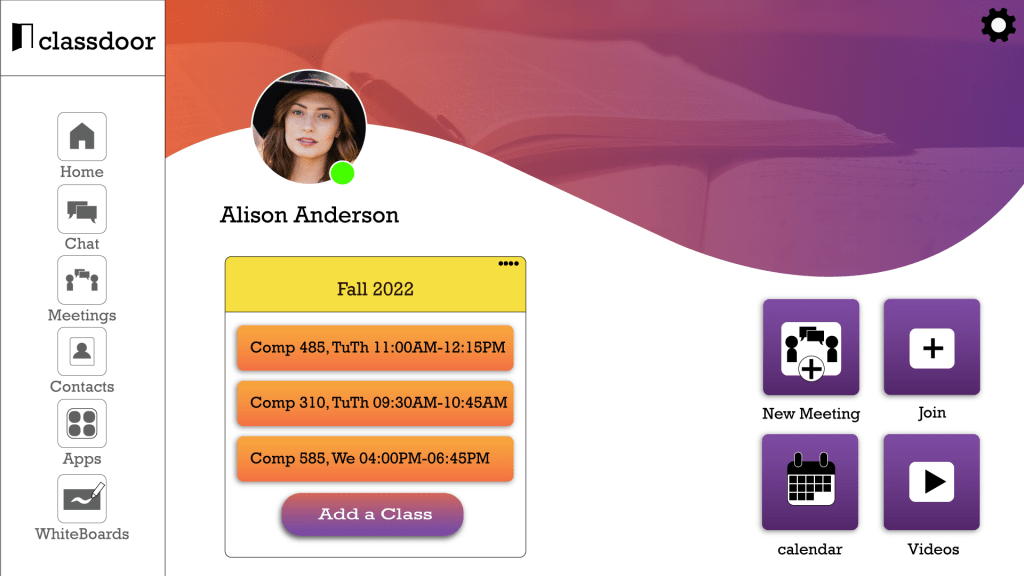
I created a side navigation bar for my design and placed the app’s features on it. For the features Icons I chose size and color to make them Have high contrast with its background and as a result, they would be easy to notice. - Emotion:
1) To connect with people’s emotions, I added more happy bright colors to the app along with education-related pictures. I also added a quote to the log-in page about education to get their mind ready for learning & make them feel good about being in class.
2) I made the place for the account picture bigger and I placed it on a more noticeable spot, so users can feel that they own their account and the app that they are using.
3) The other way I improved the app’s emotion level is by adding students’ familiar interactions to the app. Students and teachers interact with their school schedules since the beginning of the semester by adding classes to their schedules. Therefore, I added a section for the semester schedule. This feature will make it easier for students to connect to their classes faster since they don’t need to find the link on Canvas and then go on Zoom to join the class.
PROJECT DESCRIPTION (Second Style):
In this project, I would like to present Zoom with some added features to make this platform more practical for online lectures which would enable instructors and students to benefit from online education.
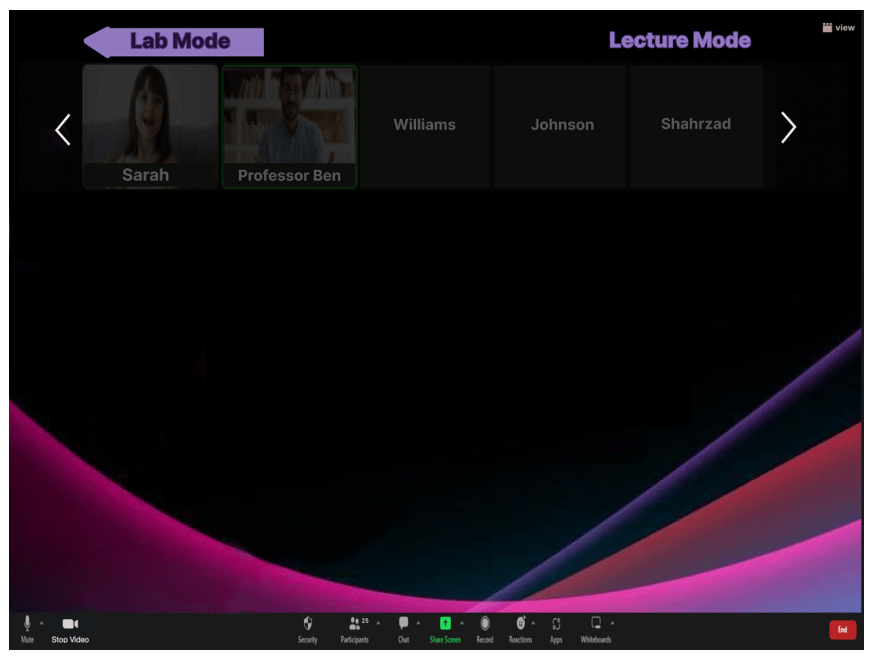
In some majors such as computer science lectures and labs are usually combined for the course. The current version of Zoom is not effective for lab sessions as it doesn’t have a special lab mode. I would like to present this change to the Zoom platform to solve this problem. By adding the lab mode to the Zoom platform instructors and students can benefit the most aspect of lab time.
Mock-up
Reasons based on UX principles:
- Decision Making:
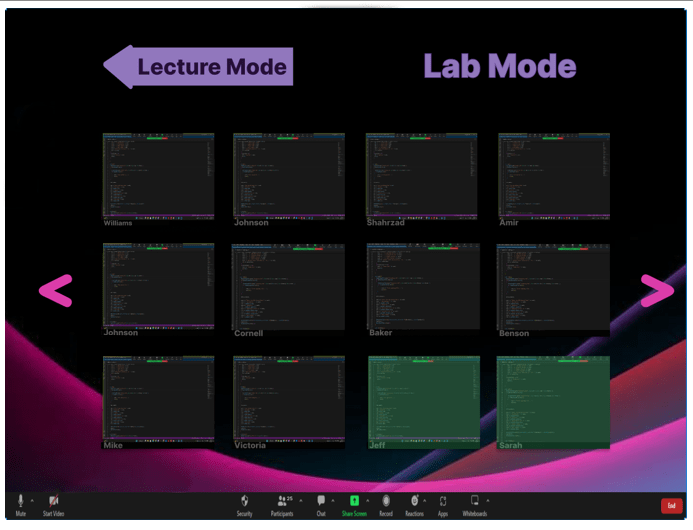
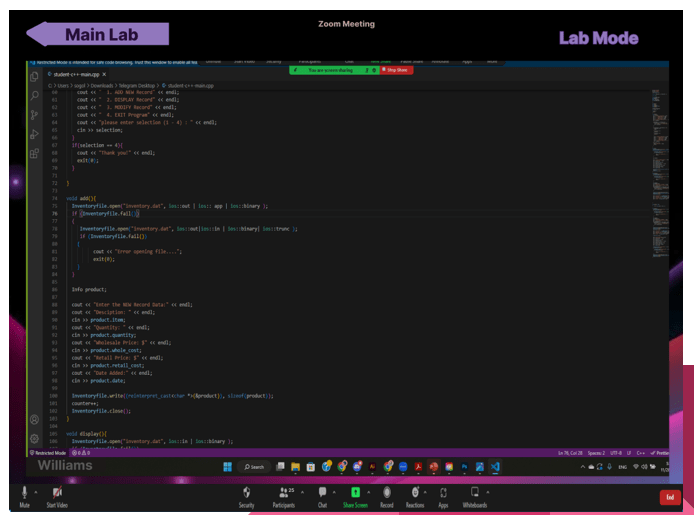
In lab sessions, students like to interact with their instructors and other students in order to find their mistakes and learn how to fix them. However, sharing their screen or their homework in class could be stressful for some students. Many students may find sharing their screen to be challenging with others because of fear of making mistakes and being judged by their classmates. As a result, lots of students would not get engaged in online lab sessions, so they do not have to share their approach with everyone in the class. In my design, there is a special mode for lab, in which students are able to share their screen in a way that only the instructor is able to view it. As a result, we make their decision-making process in using lab time easier by taking their fear of being judged away. - Attention:
In order to improve our user experience with our platform, we want to give control to our users to track their progress. In this scenario, our user is the instructor of the class who has to be able to keep track of the students he/she already helped. In order to reach this goal I would like to add a feature, I decided to add this ability to add to change the students’ screen on the instructor view to turn green after he/she was being helped. - Peripheral vision:
in my design when the instructor clicks on the student’s screen that he/she wants to help that specific screen would turn into a full-size screen without all the other screens around it. As a result, the instructor can have his/her full attention on the person he/she is helping at the moment.
 Sara
Sara 
Leave a comment